
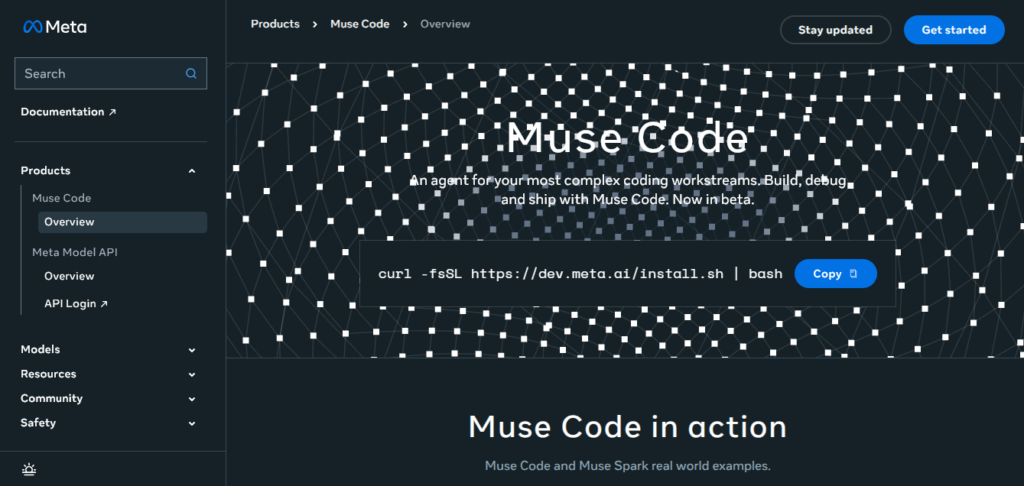

Meta has entered the AI coding agent race with Muse Code, a terminal-based coding assistant built to handle complex software engineering tasks. Powered by the new Muse Spark 1.2 model, Muse Code can plan, write, debug, and test code across large repositories.
The beta launch puts Meta directly against established tools such as Anthropic’s Claude Code and OpenAI’s Codex, giving developers another option for AI-assisted software development.
What Is Meta’s Muse Code AI Coding Agent?
Muse Code is Meta’s new AI coding agent for software developers. It is designed for long-running development work rather than only answering individual coding questions.
The tool works through the terminal and can interact with a software project to understand its files, make changes, run tools, and work through multi-step tasks.
Meta is pairing Muse Code with Muse Spark 1.2, a coding-focused version of its Muse model family. The two systems were developed together to improve performance on real software engineering workflows.
Muse Code is currently available in beta, with support for macOS and Linux. Reports also indicate that Windows users can access it through WSL.
What Is Muse Spark 1.2?
Muse Spark 1.2 is the AI model powering Muse Code.
Meta describes the updated model as stronger at coding and agentic tasks, including debugging and working through software engineering problems.
The model was trained alongside Muse Code rather than being treated as a completely separate product. The goal is to make the model and coding-agent environment work better together.
That combination is important because a strong coding model alone does not automatically make a strong coding agent.
Why Did Meta Build Muse Code AI Coding Agent?
The reason is simple: AI coding agents are becoming a major part of software development.
Developers are moving beyond tools that only suggest the next line of code. Modern AI coding agents can now understand projects, plan solutions, modify multiple files, run tests, investigate errors, and continue working toward larger development goals.
Anthropic’s Claude Code and OpenAI’s Codex have already established this category. Meta’s Muse Code is its move to compete directly in the growing AI software development market.
For developers, increased competition could bring:
- More AI coding tool choices — Developers can select AI tools based on performance, workflow, and pricing.
- Better AI programming features — Competition pushes companies to improve coding accuracy, reasoning, and AI automation.
- Lower development costs — More competition may create flexible pricing options for individuals and businesses.
- Faster innovation — AI coding assistants are likely to become smarter, faster, and more capable over time.
- Improved developer productivity — Engineers can spend less time on repetitive tasks and focus more on building complex software.
With Muse Code entering the market, the AI coding race between Meta, OpenAI, and Anthropic is expected to become even more competitive.
How Does Meta’s Muse Code AI Coding Agent Work?
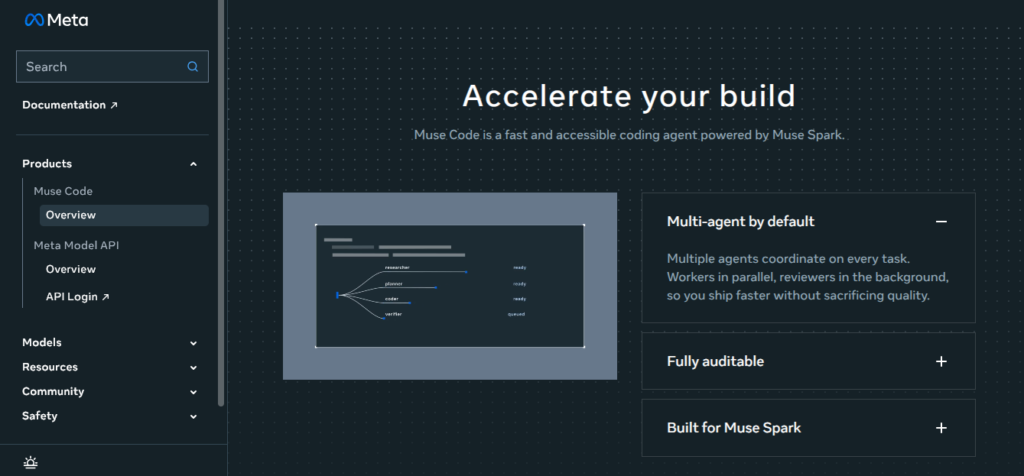
Muse Code is built around an agentic coding workflow.
Instead of asking an AI a question and manually applying every answer, a developer can give Muse Code a larger task and allow the system to work through the project.
A typical workflow looks like this:
1. Give Muse Code a coding task
A developer can describe a goal in natural language.
For example:
“Find why the checkout API is failing and fix the problem without changing the public API.”
The agent then examines the project instead of immediately generating a random code snippet.
2. Understand the codebase
Muse Code can work across repositories and inspect the files, tools, and code needed to complete the task.
This matters because real software projects rarely contain a single file that needs changing.
A bug in one part of an application may involve an API, database logic, frontend component, configuration file, and tests.
3. Plan the work
The agent can break a large request into smaller steps.
That allows it to reason about what needs to happen before making changes.
This is one of the biggest differences between an AI coding agent and traditional autocomplete.
4. Write and modify code
Muse Code can then make changes across the project.
Depending on the task, this could involve creating new files, editing existing code, updating tests, or changing configuration.
5. Check the result
The agent can run tools and tests to determine whether the changes actually work.
If something fails, it can investigate the failure and continue working instead of stopping after the first generated answer.
What Are the Main Benefits of Muse Code?
The biggest benefit is less manual work between an idea and a working software change.
Instead of doing this:
Ask AI → copy code → paste code → run test → find error → ask AI again
a coding agent aims for:
Describe task → agent investigates → changes code → tests → fixes problems → reports result
That can save time on repetitive engineering work.
Other potential benefits include:
- Better support for large codebases
- Multi-file code changes
- Automated debugging
- Long-running coding tasks
- Background agents
- Tool and test execution
- Terminal-based development
- Multiple agents for complex work
However, developers still need to review important changes, especially for security, production systems, and business-critical software.
Muse Code vs Claude Code vs OpenAI Codex: What’s the Difference?
Muse Code enters a market where developers already have strong choices.
Claude Code from Anthropic is designed around terminal-based agentic software development and has become a major competitor in this category.
OpenAI Codex is another major AI coding system focused on software engineering tasks.
Muse Code takes a similar agent-first approach but adds Meta’s own model and persistent-agent architecture to the competition.
The real test will not simply be benchmark scores.
Developers will likely care about questions such as:
- How often does it successfully finish real tasks?
- How well does it understand large repositories?
- How much does it cost per completed task?
- How reliable are its changes?
- How well does it recover from failures?
- How much human supervision does it require?
Those practical results will determine whether Muse Code becomes a serious alternative to Claude Code and Codex.
Is Muse Code Available Now? – Models and pricing
Yes. Muse Code launched in beta in August 2026.
It is available for developers on macOS and Linux, with reports also pointing to Windows access through WSL. The launch is positioned as a public-beta release rather than a finished final product, so capabilities and pricing may continue to change.
Muse Code uses a pay-as-you-go model, with different usage options reported around the launch. Developers should check Meta’s current terms before choosing it for production workloads.
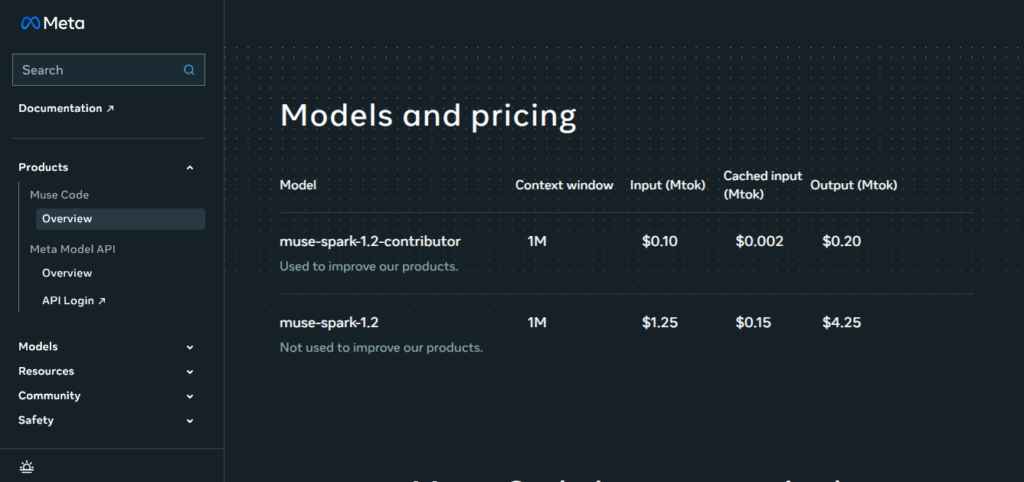
Muse Code Models and pricing
| Model | Context Window | Input (Mtok) | Cached Input (Mtok) | Output (Mtok) |
|---|---|---|---|---|
| muse-spark-1.2-contributor | 1M | $0.10 | $0.002 | $0.20 |
| muse-spark-1.2 | 1M | $1.25 | $0.15 | $4.25 |
Note:
- muse-spark-1.2-contributor: Used to improve products.
- muse-spark-1.2: Not used to improve products.
Final Takeaway
Meta Muse Code is more than another AI code generator. It is Meta’s attempt to build a full AI software-engineering agent that can plan tasks, work across repositories, use tools, run tests, and continue working with persistent agents.
Powered by Muse Spark 1.2, Muse Code gives developers another serious option alongside Claude Code and OpenAI Codex.
The product is still in beta, so its long-term position is not settled. But Meta’s entry makes one thing clear: the next phase of AI coding is moving from autocomplete toward autonomous, agent-driven software development.
Frequently Asked Questions (FAQ’s)
What is Muse Code?
Muse Code is Meta’s terminal-based AI coding agent. It is designed to handle complex, multi-step software engineering tasks using the Muse Spark 1.2 coding model.
Is Muse Code an alternative to OpenAI Codex?
Yes. Muse Code is entering the same AI coding-agent market as OpenAI Codex and Anthropic’s Claude Code. Its focus on long-running tasks and persistent agents is a key part of Meta’s approach.
What model powers Muse Code?
Muse Code is powered by Muse Spark 1.2, Meta’s updated coding and agentic AI model. Meta developed the model alongside the coding-agent environment to improve software engineering performance.
Can beginners use Muse Code?
Yes, but Muse Code is primarily aimed at developers working with codebases and terminal workflows. Beginners can use it to learn, debug, and build projects, but they should still understand and review the code the agent produces.


That’s interesting to see Meta getting involved in this space – it will be good to have more options for developers to explore.