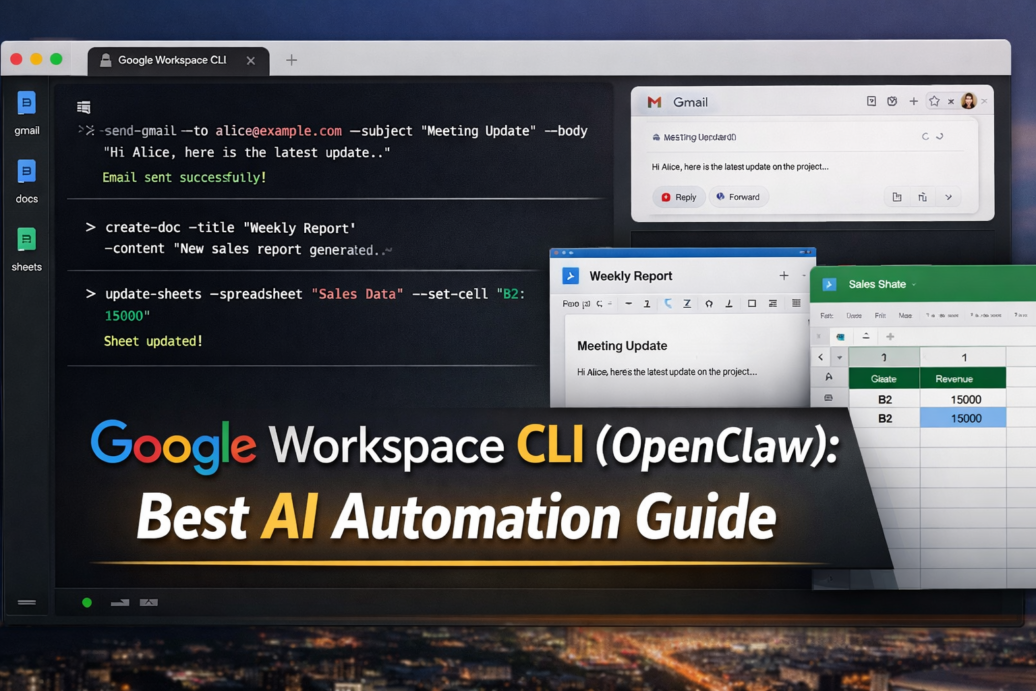

Google Workspace CLI (OpenClaw) lets AI agents directly control your daily tools—saving hours of manual work and boosting productivity instantly.
What Is Google Workspace CLI (OpenClaw)?
Google Workspace CLI (OpenClaw) is a command-line interface designed to connect AI agents with tools like Gmail, Google Docs, and Google Sheets.
In simple terms, it acts like a bridge between AI and your work apps.
Instead of clicking around manually, you can:
- Send emails automatically
- Create and edit documents
- Manage spreadsheets
- Build workflows using AI
Think of it as automation + AI + Google Workspace combined.
How Does Google Workspace CLI (OpenClaw) Work?
OpenClaw AI works by connecting APIs of Google Workspace tools with a command-line interface that AI can control.
Simple workflow:
- Connect your Google account securely
- Give commands (or let AI agents generate them)
- Execute actions in Gmail, Docs, Sheets
Example commands:
- Send email via Gmail
- Generate report in Docs
- Update data in Sheets
AI tools (like GPT-based systems) can:
- Understand your intent
- Convert it into commands
- Execute tasks automatically
Result: You move from manual work → AI-powered automation
Read More: How to Connect Google Workspace CLI to OpenClaw (Best Step-by-Step Guide)
How to Get Started with Google Workspace CLI (Simple Guide)
You don’t need to be an expert.
Basic steps:
- Install CLI tool
- Connect Google Workspace
- Use sample commands
- Integrate with AI tools
Pro tip:
Start with small tasks like:
- Sending emails
- Updating a sheet
- Creating simple docs
Then scale gradually.
Connect : How to Connect Google Workspace CLI to OpenClaw
Benefits of Google Workspace CLI (OpenClaw) — Short Version
OpenClaw AI helps you automate Gmail, Docs, and Sheets using AI—saving time and boosting productivity instantly.
Key Benefits:
- Saves Time: Automates repetitive tasks like emails, reports, and data updates
- AI-Powered Workflows: AI can understand and execute tasks automatically
- Smart Email Automation: Auto-replies, follow-ups, and inbox management
- Faster Data Handling: Update Sheets and generate insights instantly
- Quick Document Creation: Create Docs from simple prompts
- End-to-End Automation: Connect tasks across tools seamlessly
- Boosts Productivity: Focus on important work, not manual tasks
Real-World Use Cases of Google Workspace CLI
1. Automated Email Replies
A business owner can:
- Auto-reply to customer queries
- Categorize emails
- Send follow-ups
Example:
“Reply to all support emails with a predefined template.”
2. AI-Generated Reports in Docs
Marketing teams can:
- Generate weekly reports
- Create blog drafts
- Build meeting summaries
Example:
“Create a performance report from this data.”
3. Smart Spreadsheet Updates
Finance or SEO teams can:
- Track data automatically
- Update KPIs
- Generate insights
Example:
“Update revenue sheet and calculate growth percentage.”
4. AI Workflow Automation
Combine multiple actions:
- Read email → Extract data → Update sheet → Send report
Example:
“Check new leads from Gmail and add them to CRM sheet.”
5. Content Creation at Scale
Bloggers and marketers can:
- Draft content
- Store ideas in Docs
- Organize keyword sheets
FAQs
1. What is OpenClaw in simple terms?
OpenClaw is a AI tool that lets AI control Gmail, Docs, and Sheets to automate tasks.
2. Can I automate Gmail using AI?
Yes, OpenClaw allows AI to send emails, reply automatically, and manage inbox tasks.
3. Is OpenClaw beginner-friendly?
It has a learning curve, but beginners can start with simple commands and AI tools.
4. What can AI do in Google Sheets with OpenClaw?
AI can update data, calculate metrics, and generate reports automatically.
5. Is OpenClaw better than Zapier or automation tools?
For AI-driven workflows, yes. It offers deeper integration and smarter automation.
Final Thoughts
Google Workspace CLI (OpenClaw) is a powerful step toward AI-powered work automation.
It turns AI from a helper into a doer.
If you want to:
- Save time
- Reduce manual work
- Build smarter workflows
OpenClaw is worth exploring right now.
The future isn’t just AI answering questions—it’s AI doing your work.